
The decision this guide helps you make
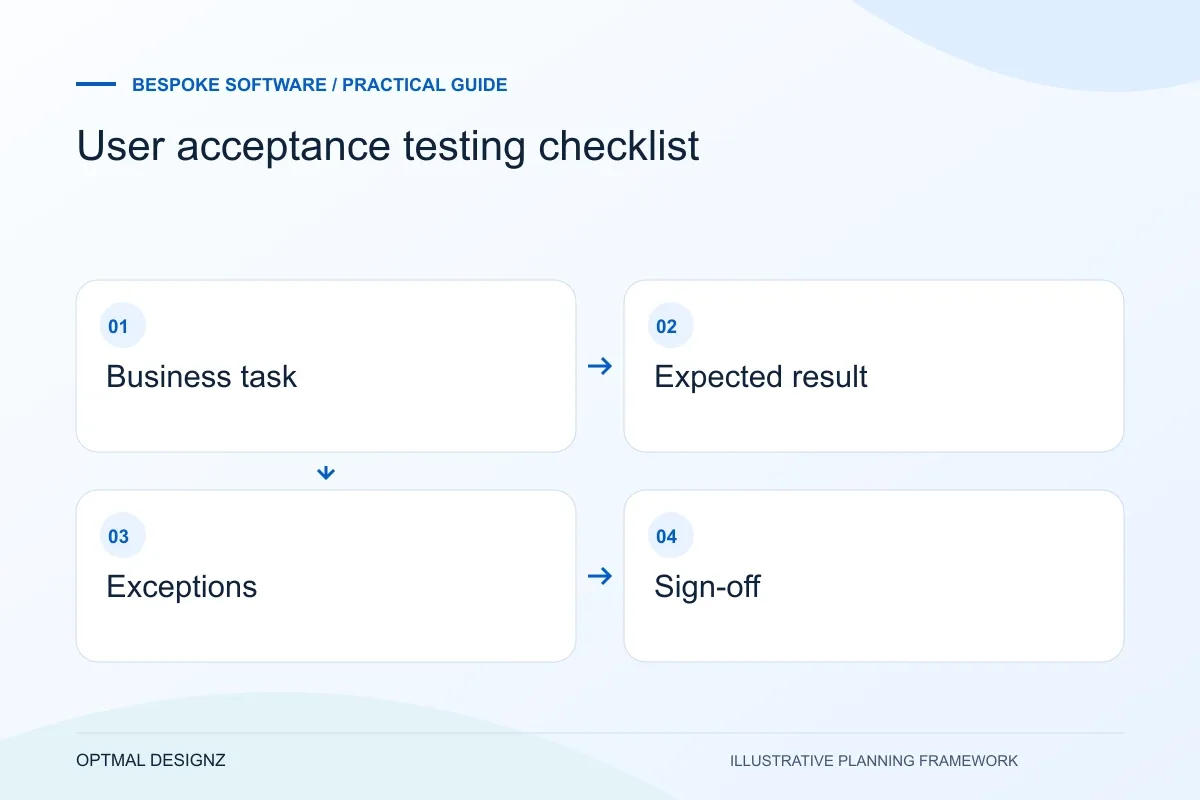
User acceptance testing checks whether the delivered software completes agreed business tasks with the expected results. It differs from simply checking that pages load or that individual functions run without an error.
User acceptance testing checks whether the delivered workflow supports the people and tasks it was built for. Make the test observable, realistic and owned.
Use representative records, named reviewers and explicit expected results. Record failures, retest corrections and agree the release decision against the same criteria.
A practical example to test the choice
A user submits a request, an authorised reviewer approves it and the receiving system records the confirmed result. A rejected request and interrupted transfer also need defined outcomes.
This is an illustrative planning scenario, not a claim about a completed client project. Use your own records and operating rules to confirm whether the approach fits.
Agree what acceptance means
Before testing begins, identify the users, roles and workflows in scope. Turn requirements into pass or fail criteria that can be observed. “The dashboard is intuitive” is too subjective on its own; a stronger criterion names a user, a task, the expected information and any accessibility or performance condition that matters.
Prioritise critical paths and business risks. A sign-in, payment, booking, stock movement or approval flow may deserve more attention than a low-impact visual detail. Keep a record of exclusions so stakeholders understand what the test did and did not cover.
Prepare a Saudi project brief that people can review
Bring a representative customer or staff task, the present difficulty and the systems involved to discovery. Include the people using the result and the person authorised to approve scope. Establish how a useful first release would be accepted rather than starting with a long list of unrelated features.
Agree the working languages, quoted currency, review windows and delivery responsibilities. Arabic content, right-to-left layouts and third-party interfaces need owners and acceptance checks. Optimal Designz is operated by a Pakistan-registered company; support and delivery arrangements are agreed for the engagement.
Prepare people, data and environments
Choose representative users and make sure they have the right accounts, permissions and instructions. Use test data that reflects realistic variation without exposing unnecessary personal or sensitive information. Confirm that the test environment behaves like production where it matters, while keeping test activity away from live customers and records.
Brief testers on how to report a result: steps taken, expected behaviour, actual behaviour, device or browser and evidence where appropriate. A shared issue log helps the team reproduce defects and distinguish blockers from improvements for a later release.
- Approved scenarios and acceptance criteria
- Named users, roles and responsibilities
- Safe and representative test data
- Supported browsers, devices and environments
- A defect log with severity and reproduction steps
- A decision-maker for sign-off and release
Test normal paths and exceptions
Run each journey from its starting point through completion. Include invalid input, missing information, permission boundaries, duplicate actions, interruptions and recovery. Ask users to explain what they expect at each step; observed confusion can reveal a requirement that was technically implemented but still needs better design.
Re-test fixes and check that related workflows still operate. For integrations, verify both sides of the transaction and what happens when a connected service is delayed or unavailable. Record outstanding risks and decide explicitly whether they block launch.
Make sign-off a business decision
UAT does not prove that software has no defects. It gives accountable stakeholders evidence about whether agreed requirements work well enough for a planned release, with known limitations documented. A sign-off should name who made the decision, what was tested and which issues remain.
After release, monitor support requests, errors and user feedback. Feed that information into a prioritised improvement list so the team can distinguish an isolated training issue from a broader workflow problem.
Include the handover in acceptance
Ask the intended operator to use the documentation and access provided, rather than checking screens alone. Confirm how issues are reported, which environments are available and who approves a release. Record any unresolved limitation and its owner. A workflow can pass a demonstration while the team still lacks the accounts or instructions needed to operate it after the delivery supplier steps away.
Apply the checklist to your Saudi project
For a Saudi software brief, specify Arabic/English users, business entities and the approved source of each record. Use representative permission and handover cases, with hosting, data handling and any sector-specific obligations reviewed by the responsible people.
Use the example above to discuss user acceptance testing checklist with the people who will use or approve the result. Ask a supplier to demonstrate the expected output, explain a failure case and identify what is excluded from the proposal.
Related services and next steps
Sources and further reading
Check source guidance directly, especially where platform details or requirements can change.